このページでは、トランザクションコードSHDBで画面録画を行い、バッチインプットプログラムを作成する方法を紹介していきます。
この記事を読んでわかること
- トランザクションコードSHDBについて
- 画面録画のやり方
- バッチインプットプログラムの作成について
目次
トランザクションコードSHDBとは?
繰り返し行う日々の定型業務を自動化するためにSAPでプログラムを作成します。
ただ、コードをゼロから書くのではなくて、SAPの画面を録画して保存するとバッチインプットプログラムを作成してくれる機能があります。
そのトランザクションコードが、SHDBです。
画面録画の手順
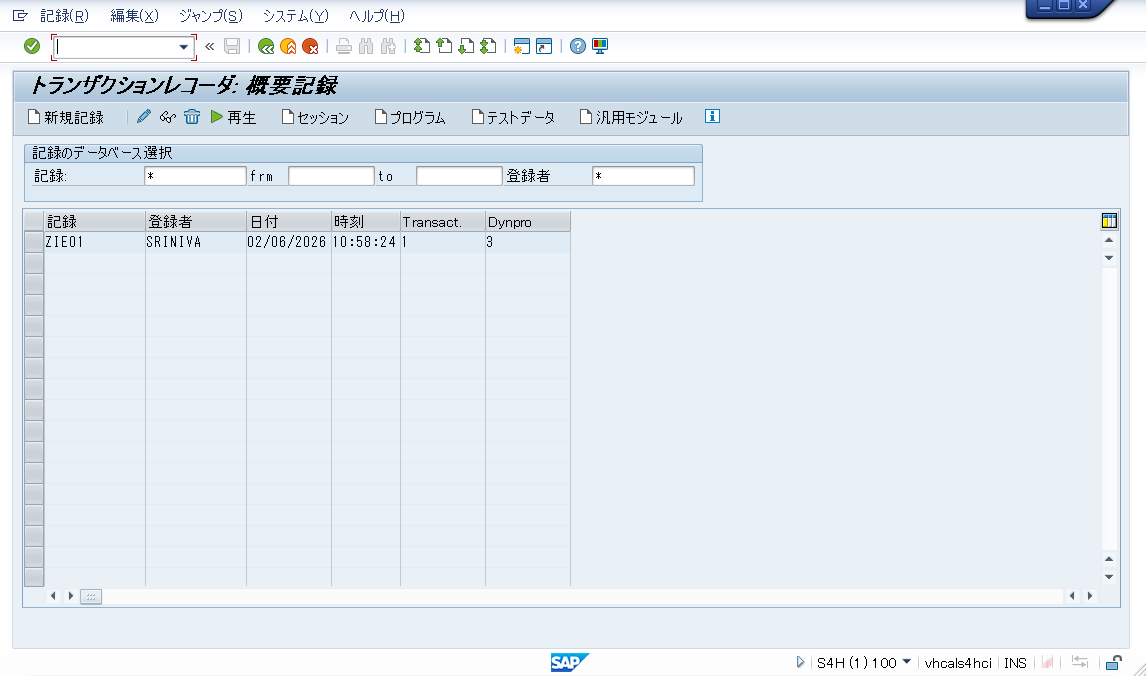
SHDBを入力します。
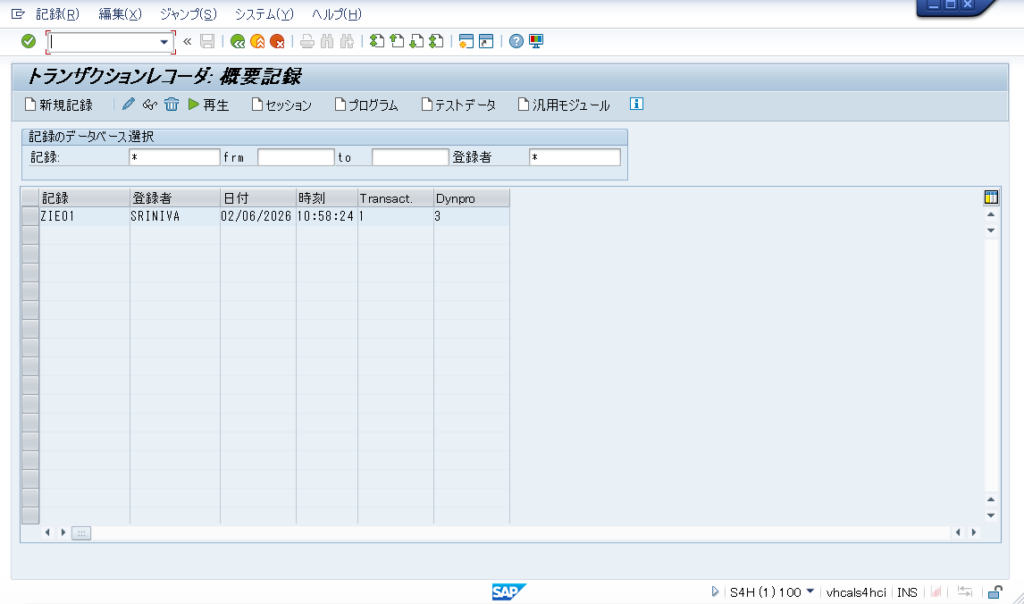
記録する際のレコード名を入力します。
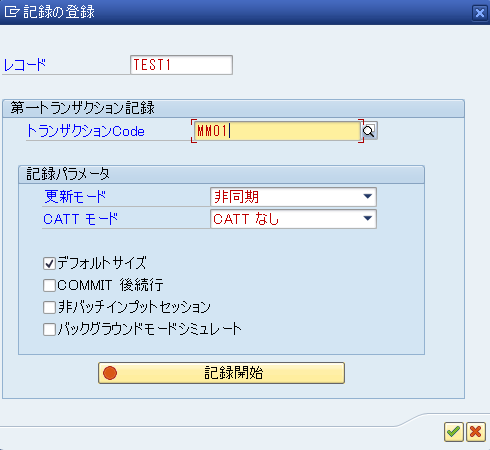
今回は品目登録なので、MM01に進みます。
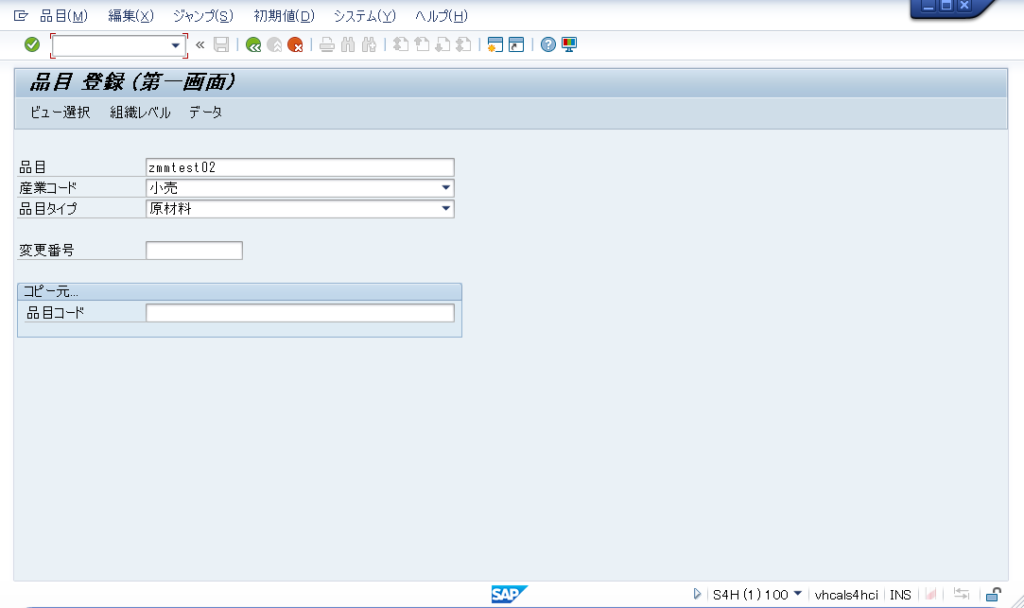
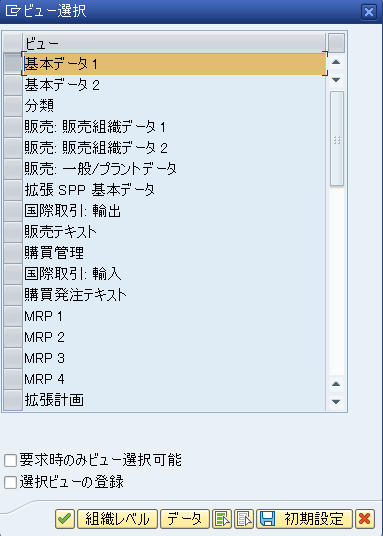
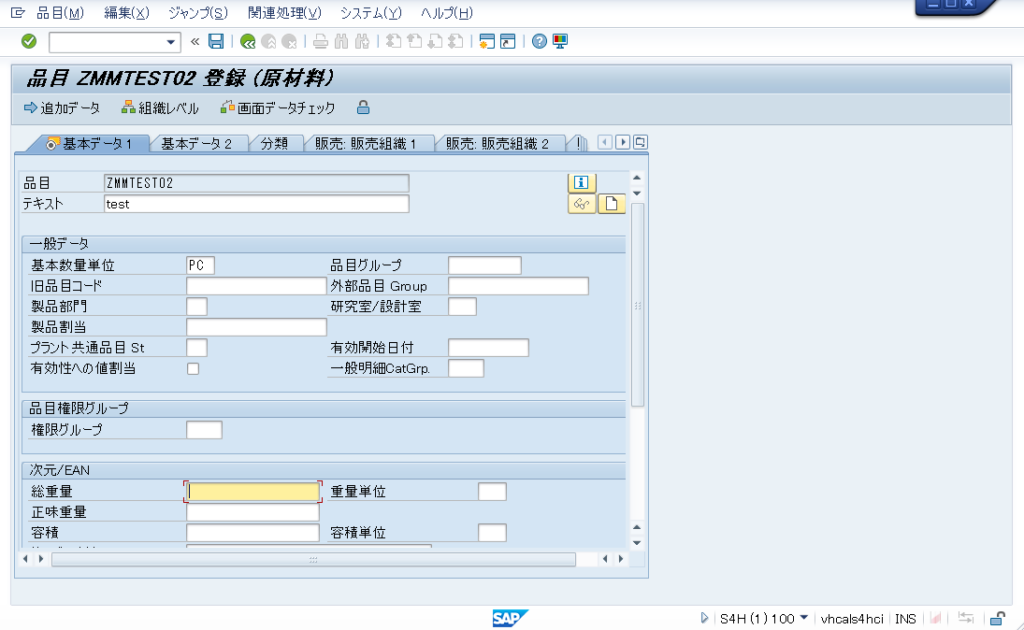
入力が終わったので、保存します。
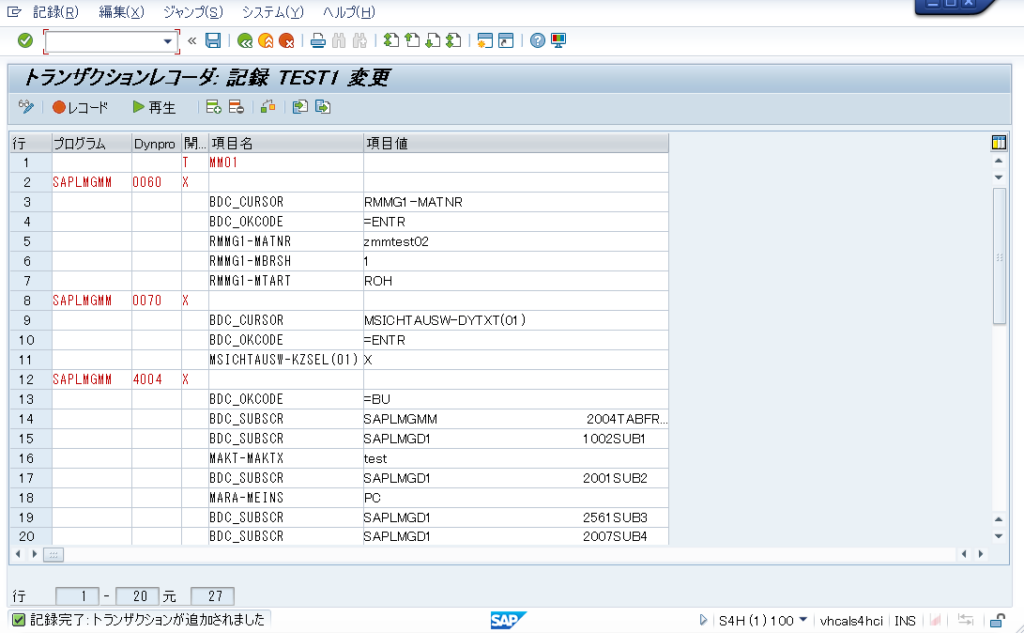
トランザクションレコーダーでは、画面録画した際のユーザーの画面操作をコマンドとして記録されます。
再生ボタンを押すと、先ほどの操作を見ることが可能です。
バッチインプットプログラムの作成方法
先ほどの録画が完了した画面から、F3で前画面に戻るとSHDBの初期画面に戻ります。
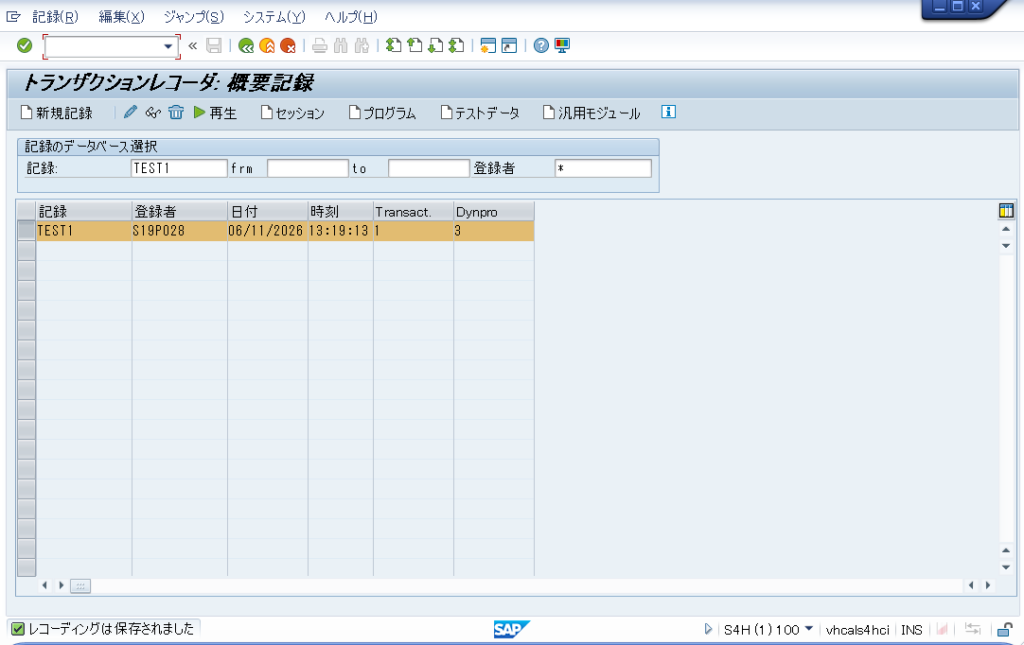
「プログラム」を押下することで自動でプログラムを作成することができます。

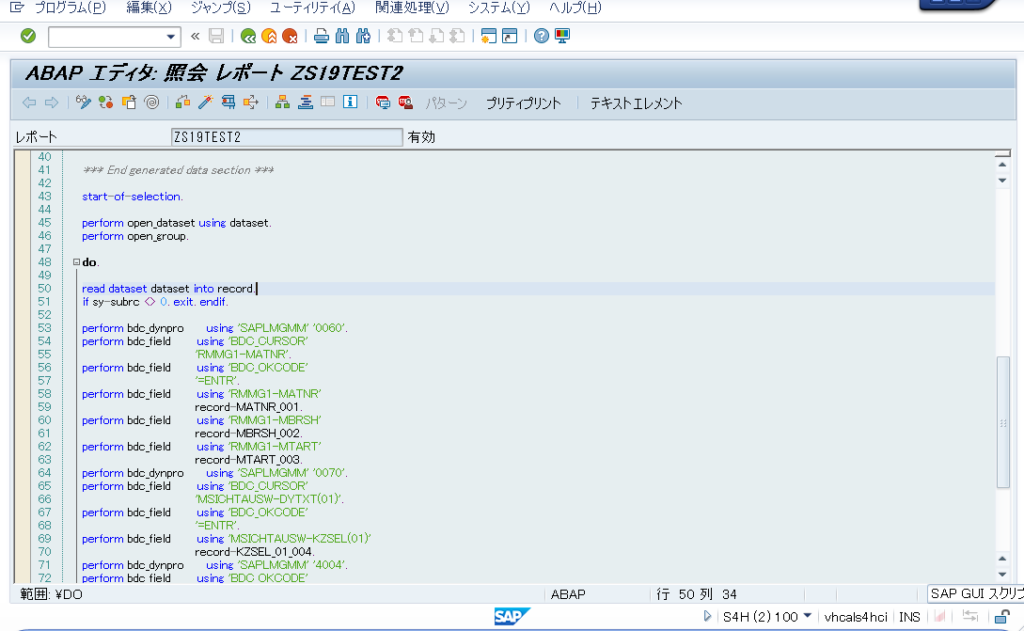
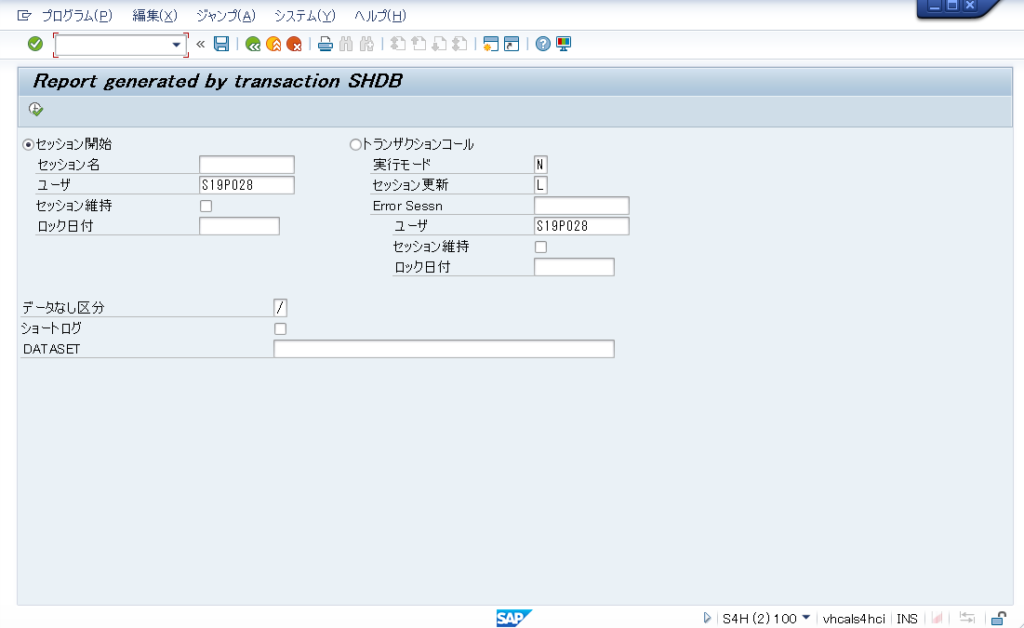
作成されたコード
※MM01で品目を登録した際のコードです。
report ZS19TEST2
       no standard page heading line-size 255.

* Include bdcrecx1_s:
* The call transaction using is called WITH AUTHORITY-CHECK!
* If you have own auth.-checks you can use include bdcrecx1 instead.
include bdcrecx1_s.

parameters: dataset(132) lower case.
***    DO NOT CHANGE - the generated data section - DO NOT CHANGE    ***
*
*   If it is nessesary to change the data section use the rules:
*   1.) Each definition of a field exists of two lines
*   2.) The first line shows exactly the comment
*       '* data element: ' followed with the data element
*       which describes the field.
*       If you don't have a data element use the
*       comment without a data element name
*   3.) The second line shows the fieldname of the
*       structure, the fieldname must consist of
*       a fieldname and optional the character '_' and
*       three numbers and the field length in brackets
*   4.) Each field must be type C.
*
*** Generated data section with specific formatting - DO NOT CHANGE  ***
data: begin of record,
* data element: MATNR
        MATNR_001(040),
* data element: MBRSH
        MBRSH_002(001),
* data element: MTART
        MTART_003(004),
* data element: XFELD
        KZSEL_01_004(001),
* data element: MAKTX
        MAKTX_005(040),
* data element: MEINS
        MEINS_006(003),
      end of record.

*** End generated data section ***

start-of-selection.

perform open_dataset using dataset.
perform open_group.

do.

read dataset dataset into record.
if sy-subrc <> 0. exit. endif.

perform bdc_dynpro      using 'SAPLMGMM' '0060'.
perform bdc_field       using 'BDC_CURSOR'
                              'RMMG1-MATNR'.
perform bdc_field       using 'BDC_OKCODE'
                              '=ENTR'.
perform bdc_field       using 'RMMG1-MATNR'
                              record-MATNR_001.
perform bdc_field       using 'RMMG1-MBRSH'
                              record-MBRSH_002.
perform bdc_field       using 'RMMG1-MTART'
                              record-MTART_003.
perform bdc_dynpro      using 'SAPLMGMM' '0070'.
perform bdc_field       using 'BDC_CURSOR'
                              'MSICHTAUSW-DYTXT(01)'.
perform bdc_field       using 'BDC_OKCODE'
                              '=ENTR'.
perform bdc_field       using 'MSICHTAUSW-KZSEL(01)'
                              record-KZSEL_01_004.
perform bdc_dynpro      using 'SAPLMGMM' '4004'.
perform bdc_field       using 'BDC_OKCODE'
                              '=BU'.
perform bdc_field       using 'MAKT-MAKTX'
                              record-MAKTX_005.
perform bdc_field       using 'MARA-MEINS'
                              record-MEINS_006.
perform bdc_field       using 'BDC_CURSOR'
                              'MARA-BRGEW'.
perform bdc_transaction using 'MM01'.

enddo.

perform close_group.
perform close_dataset using dataset.
バッチインプットプログラムの注意点
上記の方法で作成したバッチインプットプログラムは、値がハードコーディングされており、汎用的な用途にはなっていない為、ファイルアップロード機能やLoopさせて複数レコードの処理を実装する必要があります。
その部分のコードがかけてしまえば、かなり業務改善できるかと思いますので参考にしてみてください。